

How to Inspect an Air Compressor That Will Not Load: Standard SOP for Safe Diagnosis
Article reviewed by the PhuAir Technical Department - Updated: 08/09/2026
When a screw air compressor continues operating but does not switch to the Load state, system pressure does not increase, or the air supply fails to meet demand, the cause may lie in the control system, Inlet Valve, load solenoid valve, control air line, sensors, MPCV, or drive mechanism, depending on the design of the specific model.
If troubleshooting is performed in the wrong sequence, repeatedly resetting faults, forcing the compressor to operate under load, or disassembling valve assemblies without proper precautions can introduce electrical, pressure-related, and mechanical movement hazards.
Therefore, rather than replacing components immediately, begin with a systematic diagnostic procedure: confirm the symptoms → check the control status → inspect the control air system → inspect the loading mechanism → assess internal pressure and related mechanical components.
This article presents an inspection procedure that prioritizes safety and reflects practical screw air compressor maintenance requirements.
1. Quick Answer: What Does It Mean When an Air Compressor Will Not Load?
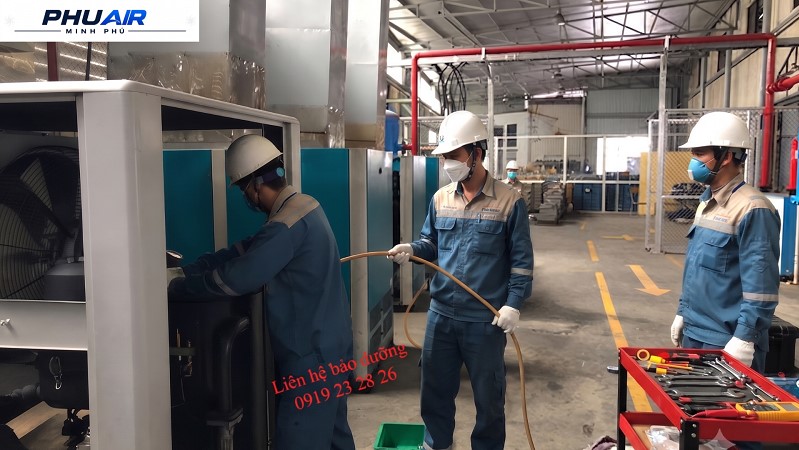
An air compressor that will not load is a condition in which the compressor continues operating but does not switch to the Load state as required by the control system, causing pressure or airflow to fall short of expectations.
Do not automatically assume that the Inlet Valve is the cause.
Depending on the model and configuration, the following groups of potential causes should be considered:
The compressor is receiving an Unload or Standby control command.
The pressure sensor or control signal is not operating correctly.
The load solenoid valve is not receiving or transmitting the control air signal.
The control air line is leaking or blocked.
The Inlet Valve does not move as required.
The MPCV or related pressure-maintaining mechanisms are operating abnormally.
The drive mechanism or Airend has a problem.
The control configuration is unsuitable for the operating conditions.
A Quick Diagnostic Sequence
Controller Display → Pressure → Control Signal → Solenoid Valve → Inlet Valve → MPCV/Related Mechanisms → Mechanical Components
Note: Inspections inside the electrical cabinet, electrical signal measurements, valve removal, and mechanical inspections must be performed by qualified personnel in accordance with the documentation for the specific compressor model.
2. Before Inspection: Distinguish Between Operator Checks and Technician Checks
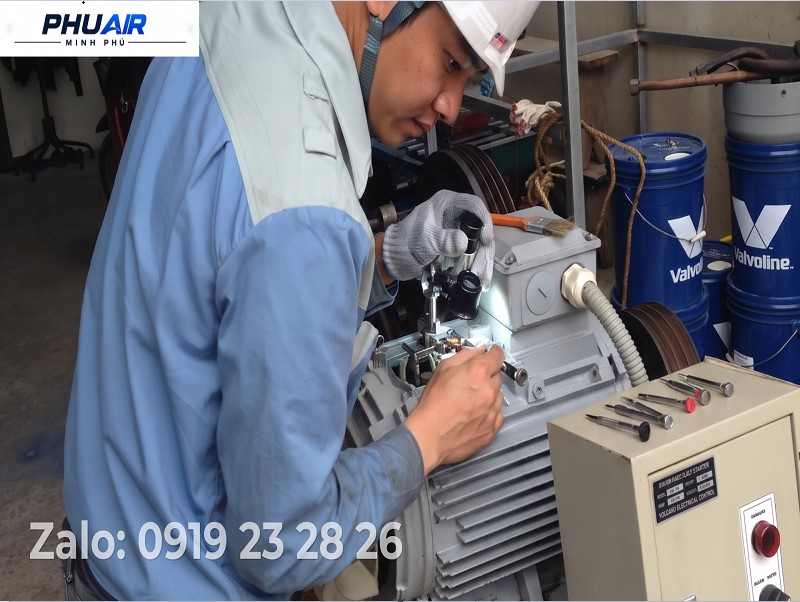
Not every diagnostic step is suitable for operators to perform themselves.
Checks Operators Can Perform
Check whether the machine displays Load, Unload, Standby, or Alarm.
Record fault codes or warnings shown on the controller.
Check the pressure displayed on the screen.
Check the system pressure gauge, if available.
Record when the problem first occurred.
Determine whether the machine has recently undergone maintenance, component replacement, or an oil change.
Note whether the problem occurs continuously or intermittently.
Checks Reserved for Qualified Technicians
Measure and inspect the power supply and control signals.
Inspect the solenoid valve coil.
Inspect the pilot air line.
Inspect the Inlet Valve mechanism.
Inspect the MPCV.
Inspect the drive belt, coupling, or drive mechanism.
Disassemble components that may involve pressure, electricity, or mechanical movement hazards.
Do not disassemble components before identifying the correct model, obtaining the technical documentation, and completing the energy isolation procedure.
3. Summary Table for Diagnosing an Air Compressor That Will Not Load
Symptom | Possible Cause | Next Inspection Step |
|---|---|---|
The motor continues running, but the compressor does not switch to Load | Control signal, sensor, or Load/Unload logic issue | Check the controller status, alarms, and related parameters |
The compressor remains in Unload while system pressure is low | Possible abnormality in the load solenoid valve, control air line, or Inlet Valve | Check the control signal and pilot air system according to the manual |
The pressure displayed on the controller differs abnormally from actual pressure | Pressure sensor or sensor signal problem | Compare pressure readings and have a technician inspect the sensor |
The compressor makes abnormal noise but does not produce sufficient air | Possible problem with the drive mechanism or Airend | Stop the compressor and inspect the mechanical components according to the safety procedure |
Internal pressure and piping pressure show abnormal behavior | Possible issue involving the MPCV or related pressure-regulating mechanisms | Inspect according to the configuration and documentation for the specific model |
The compressor operated normally before maintenance but will not load afterward | Possible issue with connections, settings, or recently serviced components | Review the maintenance work and replacement history |
Do not identify the cause based on a single symptom. Compare the control status, pressure readings, and actual compressor configuration.
4. Why Might an Air Compressor Fail to Load?
4.1. The Controller Has Not Issued a Load Command
One of the first steps is to determine whether the compressor is actually failing to load or whether the controller is intentionally keeping it in Unload/Standby.
When pressure has reached the control threshold or air demand is low, the compressor may deliberately remain unloaded.
Therefore, check the Load/Unload status, Load/Unload pressure settings, Alarm or Warning messages, operating history, and related control parameters.
If the controller has not requested Load, do not immediately remove the valve or replace the coil.
4.2. Pressure Sensor or Sensor Signal Problems
An air compressor relies on pressure signals to determine when to switch between Load and Unload.
If the sensor signal does not accurately reflect actual pressure, the controller may make an inappropriate decision.
For example:
Actual pressure is low → sensor signal is abnormal → controller receives an incorrect reading → compressor does not switch to Load
A technician may need to compare the controller pressure reading, the pressure gauge at a suitable location, any recorded signal history, signal wiring and connectors, and the sensor condition according to the manufacturer's instructions.
Do not apply a single fixed pressure value to every model.
4.3. The Load Solenoid Valve Is Not Operating Correctly
Depending on the design, the load solenoid valve controls the pilot air supplied to the loading mechanism.
If the coil, control signal, or valve itself has a problem, the loading mechanism may not operate correctly.
Potential causes include a faulty coil, poor electrical connections, a missing control signal, a stuck valve, a blocked control air line, or pilot air leakage.
A technician should inspect the system according to the electrical and pneumatic control diagrams for the specific model.
Do not conclude that the solenoid valve has failed solely because no switching sound can be heard.
4.4. The Control Air Line Is Leaking or Blocked
Some systems use control air to actuate the Inlet Valve or other Load/Unload mechanisms.
If the control air line is leaking, blocked, cracked, loosely connected, or fitted with a faulty control air filter or sealing element, the control signal may be insufficient to move the mechanism into the Load state.
This is why the diagnosis should not focus exclusively on the Inlet Valve.
5. Six-Step Procedure for Inspecting an Air Compressor That Will Not Load
Step 1: Confirm the Symptoms on the Controller
First, record whether the machine is in Load, Unload, or Standby; whether any Alarm or Warning is displayed; the pressure shown by the controller; when the fault code appeared; and whether the problem is continuous or intermittent.
If fault history is available, save it before resetting the controller.
Do not repeatedly reset the compressor before identifying the cause, as this may erase useful diagnostic information.
Step 2: Compare Actual Pressure Readings
Compare the available information:
Controller pressure ↔ pressure gauge ↔ Load/Unload status
The objective is to determine whether the compressor is genuinely failing to build pressure, producing pressure while the sensor reads incorrectly, experiencing low system pressure due to air demand or leakage, or failing to receive the correct signal to change operating state.
If the readings do not agree, prioritize inspection of the measurement and control systems before disassembling mechanical components.
Step 3: Check the Control Signal and Load Solenoid Valve
This step is for qualified technicians.
Refer to the electrical diagram for the specific model to determine whether the controller issues a Load command, the solenoid valve receives the signal, the coil operates within the manufacturer's specifications, the connections are loose or oxidized, or the pilot air line is leaking or blocked.
Do not apply a universal coil resistance or voltage value to all solenoid valves.
Verify the required specifications against the technical documentation for the specific component and model.
Step 4: Inspect the Inlet Valve Mechanism
If the control signal and pilot air system are operating as expected but the compressor still will not load, a technician may inspect the Inlet Valve mechanism.
Potential issues include a stuck mechanism, deteriorated gaskets or sealing elements, contamination affecting movement, an improperly operating actuator, or insufficient control pressure.
Do not strike the valve with a hammer or use excessive force to make the mechanism move.
If disassembly is required, follow this sequence:
Manufacturer's manual → energy isolation → release trapped pressure → verify safe condition → disassembly
Step 5: Inspect the MPCV and Internal Pressure
The MPCV has a specific function depending on the compressor design and may be involved in maintaining pressure in the oil separator system.
If there is abnormal behavior between internal pressure → outlet pressure → Load/Unload status, a technician should assess the MPCV and related mechanisms according to the machine's configuration.
Do not use a single fixed pressure threshold to conclude that an MPCV is stuck across all models.
Remove the MPCV only after confirming the configuration, applying LOTO, isolating energy sources, releasing trapped pressure according to the manufacturer's instructions, and obtaining the appropriate technical documentation and tools.
Step 6: Inspect the Drive Mechanism and Airend
If the compressor exhibits abnormal noise or vibration, the motor runs without properly driving the Airend, the drive mechanism does not rotate correctly, or overload protection is activated, inspect the drive belt if fitted, coupling if fitted, pulley, drive mechanism, Airend, and related bearings.
This is a technical inspection. Operators should not be asked to remove protective covers or come into contact with rotating components.
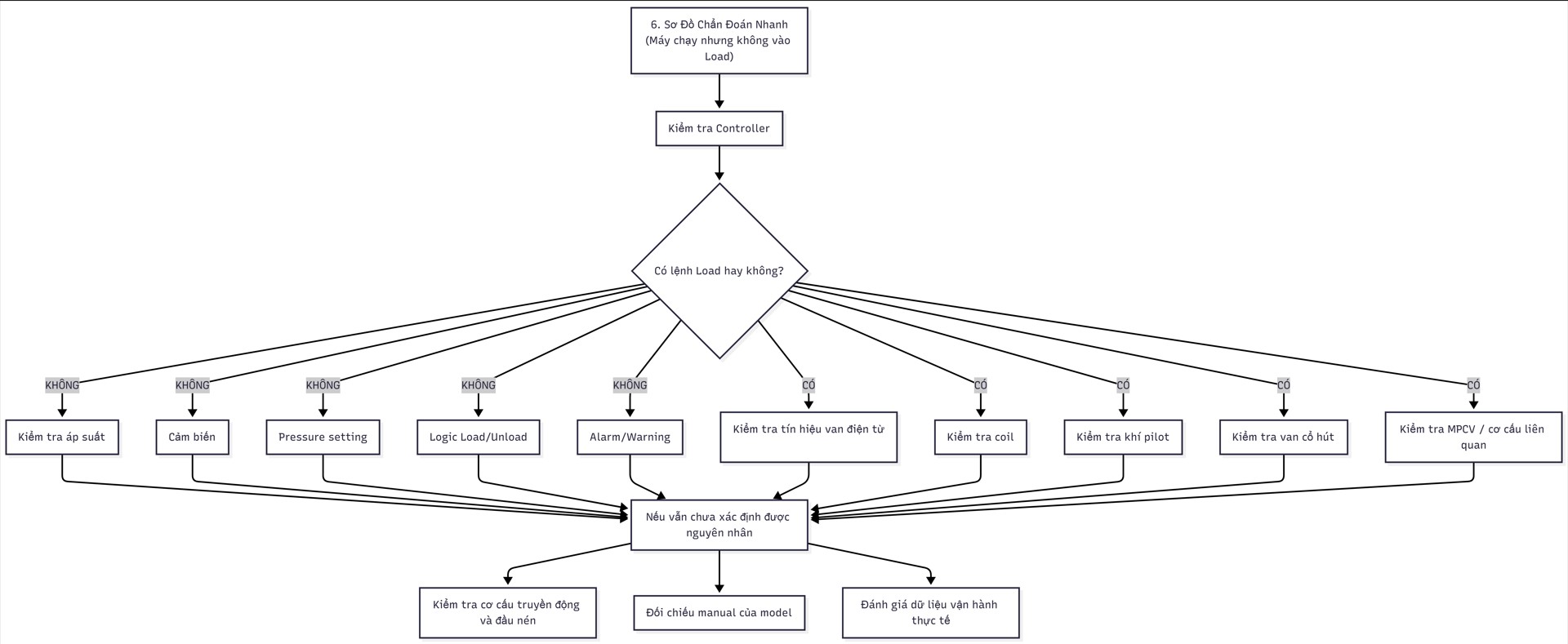
6. Quick Diagnostic Flowchart
Use the following sequence to avoid replacing components based on guesswork:
7. Mistakes to Avoid When an Air Compressor Will Not Load
❌ Mistake 1: Resetting the Machine Repeatedly
Resetting may change the fault status or cause technicians to lose information about when and under what conditions the problem occurred.
Recommended: Record the alarm, machine status, and operating parameters before resetting.
❌ Mistake 2: Using a Hammer or Applying Excessive Force to the Inlet Valve
Forcing a mechanism to move through uncontrolled mechanical force can damage the valve, piston, seals, or related components.
Recommended: Identify the cause of the sticking and resolve it in accordance with the technical documentation.
❌ Mistake 3: Replacing the Coil Immediately When the Machine Will Not Load
A machine that will not load does not necessarily have a burned-out solenoid valve coil.
The cause may lie in:
Control signal.
Wiring.
Valve.
Pilot air line.
Inlet Valve.
Sensor.
Control configuration.
Recommended: Check the chain of possible causes before replacing any components.
❌ Mistake 4: Setting an Arbitrary Pressure Threshold to Diagnose the Fault
Operating pressure, Load/Unload pressure, and protection thresholds depend on the model and configuration.
Do not apply one universal value to all machines.
❌ Mistake 5: Looking at Only One Pressure Gauge
A single pressure gauge does not always reflect the entire energy state of the system.
During maintenance, identify all potentially stored energy sources and follow the correct isolation and depressurization procedures.
8. Safety Warnings When Inspecting an Air Compressor
An air compressor may contain multiple forms of energy simultaneously:
Electrical energy.
Compressed air pressure.
Mechanical energy from rotating components.
Heat.
Pressure and oil inside internal chambers.
Therefore, before disassembling components or coming into contact with hazardous parts:
You must
LOTO → Isolate energy sources → Prevent unexpected startup → Release trapped pressure → Verify a safe condition → Proceed according to the manual
Do not rely solely on the fact that:
“The pressure gauge reads zero.”
to conclude that the entire system is free of hazardous energy.
Other chambers or pipelines may still contain trapped energy, depending on the configuration.
In particular, do not:
Bypass sensors.
Override protection functions.
Short-circuit control circuits.
Force the machine into Load.
Increase pressure beyond the design limit.
Remove valves before isolating energy sources.
Work inside the electrical cabinet without following the required safety procedures.
9. FAQ – Frequently Asked Questions
Why does an air compressor run but fail to load?
There are several possible causes. The main areas that may need inspection include the controller, pressure sensor, load solenoid valve, control air line, Inlet Valve, MPCV, and drive mechanism, depending on the model.
Do not replace components based on a single symptom.
Does a machine that will not load necessarily have a faulty Inlet Valve?
Not necessarily.
The Inlet Valve is only one of the mechanisms that may need inspection. First, determine whether the controller is actually issuing a Load command and whether the control air system is operating correctly.
How can you tell whether the load solenoid valve is faulty?
It must be checked against the electrical and control air diagrams for the specific model.
A technician may need to inspect:
Control signal.
Coil.
Connections.
Pilot air line.
Mechanical condition of the valve.
Do not conclude that the valve is operating normally based solely on hearing a “click.”
What should you do if the machine indicates low pressure but still will not load?
First, compare the following:
Actual pressure → Controller pressure → Load/Unload status → Control signal.
If the actual pressure is low but the controller receives a different reading, inspect the pressure measurement system.
If the controller has requested Load but the mechanism does not change state, continue inspecting the control system and loading mechanism.
Should you disassemble the Inlet Valve or MPCV for cleaning yourself?
Not unless you have the necessary expertise and documentation for the specific model.
These assemblies may involve pressure, oil, and moving mechanisms. If disassembly is necessary, follow the manufacturer's LOTO, energy isolation, and depressurization procedures.
What coil or motor resistance value is acceptable?
Do not apply one universal value to all equipment.
The specifications must be checked against:
Model.
Component part number.
Rated voltage.
Manufacturer's documentation.
Measurement conditions.
In particular, insulation condition assessments for motors must follow the procedures and standards applicable to the equipment.
Can a clogged air filter cause an air compressor not to load?
A dirty air filter can affect air intake capacity and machine performance, but it should not automatically be assumed to be the direct cause of every failure to load.
If the air filter is suspected, assess the following together:
Filter element condition.
Differential pressure, if the machine has a sensor or display.
Airflow.
Pressure.
Load/Unload status.
10. When Should You Contact PhuAir Technical Support?
Request a technical inspection when:
The machine continues running but does not switch to Load.
Pressure does not increase as expected.
The machine exhibits abnormal Load/Unload behavior.
The controller reports a pressure-related or control-related fault.
Operating status has been checked, but the cause remains undetermined.
The machine produces abnormal noise or vibration.
The solenoid valve, Inlet Valve, or MPCV needs inspection.
Electrical measurements or work inside the electrical cabinet are required.
Components involving pressure or movement need to be disassembled.
To Help PhuAir Assess the Problem More Quickly, Prepare:
1. Machine model + serial number
2. Photo of the controller screen
3. Fault code/Alarm/Warning
4. Pressure displayed on the controller
5. Load/Unload pressure settings, if available
6. Load/Unload/Standby status
7. Motor power rating
8. Maintenance history or recently replaced components
9. Description of when the fault first appeared
This information helps technicians determine whether the problem is likely related to the control system, pilot air system, loading mechanism, mechanical components, or operating conditions.
11. Conclusion
An air compressor that will not load does not automatically mean the Inlet Valve is faulty.
For an accurate diagnosis, follow this sequence:
Controller → Pressure → Control Signal → Solenoid Valve → Pilot Air → Inlet Valve → MPCV/Related Mechanisms → Drive System/Airend
Most importantly, do not replace components based on guesswork or bypass safety procedures.
Parameters, pressure thresholds, Load/Unload logic, and inspection methods may differ between models. Therefore, all technical procedures must be checked against the manual and diagrams for the specific machine.
👉 Is your air compressor still running but failing to load?
Take photos of:
Machine Model/Serial Number + Controller Screen + Fault Code + Load/Unload Status + Current Pressure
and send them to PhuAir.
The PhuAir technical team can use this information to identify an appropriate inspection approach, verify the machine configuration, and recommend a corrective action rather than replacing components based on guesswork.